Showing posts with label Game. Show all posts

Monday, August 16, 2021

Cheat Valorant Aimbot Hacks 2021 Work !

Cheat Valorant Aimbot Hacks 2021 Work !

 VALORANT AIMBOT HACKS 2021


Features

  • Color Aimbot
  • Shot correction (Magnet)
------------------------------------------------------------------------------------

Technical
This cheat is Internal/External type of a cheat built on top of the Interception drivers which Riot failed to block. Your mouse input is intercepted and the movement coordinates are "adjusted" to help you out. If you do not understand the Internal/External term, it means the cheat is external written as internal and therefore you can inject it into any process. Please note I took roughly 3 hours to write the features and the cheat as a whole so it is very rough around the edges. This is proof of concept that others should take as inspiration.

Compile the source yourself from the valorant master file using visual studio 2019

------------------------------------------------------------------------------------

Instructions
  1. Install the Interception driver ( i will not link this since it's against rules but it can be easily found using google}
  2. Download the cheat (two .dll files)
  3. Find an original way to inject the "inject me" dll into any 32-bit process - !DO NOT INJECT THE DLL INTO VALORANT!. I will not provide a tutorial on this, look up internal/external, You can use any decent injector
  4. The interception.dll file needs to be in the appropriate folder according to how you inject, if you do not know what this means, put the interception.dll into a folder (for example C:/Interception) and add this folder into system PATH variable (google that)
  5. If you did this correctly, a console will show up with "YES" written in it
  6. Input your sensitivity, smoothing, and mode into the console, details are below
  7. The console should disappear and you should be good to go
  8. In-game, set colorblind mode to Purple
  9. To disable the cheat, end the process you injected into
------------------------------------------------------------------------------------

Injection
Never inject into Valorant or RIOT associated processes.
Do not inject if the game is running.
find your own way of injecting the dll somewhere.
The safety of the cheat relies heavily on the way you inject the dll, This is also why there isn't a tutorial where I say, inject it into this... Use your own injector that you find somewhere and then inject it into 32 bit process of your choice.

------------------------------------------------------------------------------------

Console input
Input the values in the following order:
Sensitivity
Smoothing
Mode

Example:
0.52
0.1
3

Smoothing has reasonable values around 0.01-0.2 based on your CPU and setup. The mode has 3 values (1, 2, 3). 1 is for Shot correction only, 2 is for Color Aimbot only, 3 is for both.

------------------------------------------------------------------------------------

Cheat status

UNDETECTED, but:
If you use a detected injector, you will be banned, of course, don't inject when the game is already running.
Please note that the detection might rely heavily on the way people inject the dll and therefore might have mixed comments

------------------------------------------------------------------------------------

Compile the file yourself from sources.

Very basic pixel bot source with the interception driver setup. Since Vanguard does not use any preventive measurements, you can just modify the source code if you know a little bit of C/C++ and run the cheat as if it was never released here (Add some junk, modify some parts of the code, or just use the Interception base as setup). In order to compile this, you need to update link to Interception.lib file in the project settings (in Linker). The solution is for Visual Studio with Visual C++ installed. If you have any comments about the source, quote me, but lot of it was written quickly so there aren't really interesting concepts in there.

------------------------------------------------------------------------------------
Sunday, August 15, 2021

Script Enigma DOTA 2 WORK 2021 !

Script Enigma DOTA 2 WORK 2021 !

 Script Enigma DOTA 2 WORK 2021 !


you have to put blink and other items like in the photo

how to use :

  1. Copy past it in {Steam\steamapps\common\dota 2 beta\game\dota\cfg}
  2. Run dota and open console and wright {exec enigma}
how it work in game !
  1. Press fast KEY G(2-3 times) blink + spell
  2. Items + ult = 100 profit
  3. Press KEY F(refresher+spell+items+ult)


Cheat Fall Guys Ultimate Knockout 2021 WORK!

Cheat Fall Guys Ultimate Knockout 2021 WORK!


Cheat Fall Guys Ultimate Knockout 2021 WORK! 


Features

  • Speed
  • Turn Speed
  • Recover Speed
  • Gravity
  • Fall Speed
  • Diving Boost
  • Commando Grab


Cheat Among Us Hacks 2021 WORK !

Cheat Among Us Hacks 2021 WORK !

 Among Us Hacks 2021


Required  Cheat Engine.


Features:
  • (HOST)Lobby settings control
  • Name, Color, Outfit, Hat, and Pet Changer (Applies on play again, No code list made someone make a comment for posting values for pets and outfits please)
  • Crewmate Player vision Changer
  • Be The Imposter toggle (Hotkey keybind numpad + for imposter - for crewmate. Must be host for True Imposter Force. If only 1 imposter is allowed it will pick random and force you causing 2 Imposters. If already crewmate you can only sabotage and vent until a meeting is called. Not sure if it shows to other imposters yet, hard to test)
  • Imposter Cooldown Changer (Hotkey is Keypad Enter to set cooldown to 10 seconds for self. Value can be frozen to 0 for no cooldown.)
  • Imposter Kill Distance Changer
  • Imposter Vision Changer
  • Remaining Emergency Calls Changer
  • Report Distance Changer
  • Player Speed Changer (Hotkeys are Keypad 7 for adding 0.05 to current speed, Keypad 4 for subtracting 0.05. Good for having a subtle speed boost over other players.)

Saturday, August 14, 2021

POKEMON REVOLUTION ONLINE BOT HACK 2021 ! WORK !

POKEMON REVOLUTION ONLINE BOT HACK 2021 ! WORK !


Features:

  • Pokémon Detection

  • Shiny Check

  • Rare Encounter Check

  • Auto Capture

  • Use False Swipe

  • Auto Fighting (Wild)

  • Auto E.V Training

  • Capture List

  • Capture needed Pokémon for PokéDex

  • Complete PRO Pokémon Database (Move Types/Pokémon Types/Pokémon Weaknesses)

  • Relogging & Re-Mounting

  • Screenshot & Close Preview (Screenshots Preview Window as PokémonName-date-time.PNG)

  • Alert Sound on Shiny/Rare

  • Encounter Log

  • Intelligent PP Management

-----------------------------------------------------------------------------------------------------------------------------

Hotkeys:

F5 - Start
F6 - Pause
F7 - Exit (Panic)

No installation, no fuss. Download, tick some boxes, type what Pokémon you want (if any) and click Start. Obtaining Shiny/Event Pokémon has never been easier.


LINK DOWNLOAD


Cheat Grand Chase Classic 2021 WORK !!!

Cheat Grand Chase Classic 2021 WORK !!!


Features:

  • One Hit - Kill all monsters with 1 hit
  • Item Vac - Get all items and coins automatically.
  • Autokill - Upon entering the room, all monsters die.
  • Item Spawn - Drops all items from the first stage level - Important! Activate with Autokill! (Tutorial below).
  • Time Hack - Increases and freezes the mission time.
  • Rank Hack - Rank SS (Or any of your choice) automatically in all stages (Rank SS gives 15% more EXP).

--------------------------------------------------------------------------

How to Use:

  1. Download Cheat Engine
  2. Open Cheat Engine from the file with the hacks (Download below)
  3. Open Grand Chase and wait until you reach the "Server Selection" screen
  4. Go back to Cheat Engine and select the computer icon (Upper left corner) and then select the game
  5. Then, activate the hacks you want to use (Checking the boxes next to each function)

--------------------------------------------------------------------------

Tutorial:

Item Spawn: Before entering a level, activate both Item Spawn and Autokill. Then, enter the level normally, and all items in the level will be on the ground. You can pick them up and get off the map with them immediately.

Note: Even after picking them up, they remain visually on the ground. it's just a visual bug. You can exit the level normally and receive all your items.


LINK DOWNLOAD 


Friday, March 11, 2016

Cara Pasang Mod GTA San Andreas

Cara Pasang Mod GTA San Andreas


Setelah selesai download mod, ekstrak arsip mod nya dengan winrar
Klik kanan file nya lalu pilih extract here atau extract to 

jika file ber-format PDF itu kesalahan kecil,
rename saja jadi .rar atau langsung saja open with winrar

Untuk yang mau instant, bisa menggunakan modloader, caranya dibawah ini
____________________________________________________________________
Jika kalian tidak menemukan instruksi pemasangan mod nya, bisa baca instruksi langkah-langkah dalam memasang file mod nya sesuai jenis mod nya dibawah ini
____________________________________________________________________
CLEO
Ekstensi file mod ini berupa .cs
 
Cara Pemasangan :
1. Download & install CLEO
(Sudah terpasang di GTA Extreme, jadi yang memakai GTA Extreme tidak perlu download & install ini)
2. Copy Paste file .cs mod itu ke dalamFolder CLEO

Disamping adalah letak folder-folder penting


____________________________________________________________________
Mobil/Bangunan/Senjata/Motor/Baju/Interior

Ekstensi file mod ini berupa .txd .dff .col .ifp

Cara Pemasangan : 
Gunakan Spark/IMG Tools/Alci untuk edit (import) file kedalam file .img GTA

Klik gambar agar lebih jelas,


*Player.img berisi baju dsb
*gta_int.img berisi interior
*gta3.img berisi model umum (hampir semua mod masuk sini)
____________________________________________________________________
Design Your Own Mission (DYOM)

 Ekstensi file mod ini berupa .dat
Cara Pemasangan DYOM :
1. Pasang MOD DYOM Disini (Sudah di terpasang di GTA Extreme)
2. Copy Paste file .dat ke \Documents\GTA San Andreas User Files\


Cara Pemakaian DYOM :
1. Start new game -> DYOM
2. Buka Menu (Tekan Y) -> Mission Menu -> Load Mission -> Play
Jika kurang jelas bisa lihat instruksi dalam Gambar bergerak (GIF) ini

____________________________________________________________________
Skin

Ekstensi file mod ini berupa .txd .dff
Cara Pemasangan :
1. Download & Install CLEO (Sudah terpasang di GTA Extreme)
2. Download & Install Skin Selector (Sudah terpasang di GTA Extreme)
3. Sama caranya dengan Mobil/Bangunan/Model/dll, tapi file yang di edit 'skin.img' yang berada dalam folder CLEO

*ada beberapa mod skin yang replace pejalan kaki, langsung saja taruh ke gta3.img
____________________________________________________________________
MAP

Ekstensi file mod ini berupa .ide .ipl
Cara Pemasangan : 
1. Copy Paste file nya ke [GTA Folder]\data\maps\'sub folder'\
'sub folder' biasanya dikasih tau di mod nya, kalau tidak ketemu ya taruh saja file nya
ke folder yang punya file dengan nama yang sama dengan file mod nya

Perhatian ! Untuk mod map atau mod lain yang mengubah file dalam folder Data, sebaiknya kalian sediakan backup file yang di edit, agar jika crash bisa dikembalikan seperti semula
____________________________________________________________________
ENB Series

Ekstensi file mod ini bermacam-macam, biasanya .dll .ini dan banyak file lain dalam satu folder
Cara Pemasangan :
1. Copy Paste semua file dalam folder tersebut kedalam folder GTA

Kalau masih bingung silahkan lihat Tutorial bergambar di sini (Facebook)
____________________________________________________________________
ASI Plugin 

Ekstensi file mod ini berupa .asi
Cara Pemasangan :  
1. Copy Paste file .asi ke folder GTA, jika dalam mod juga ada folder atau file lain, copy juga itu
____________________________________________________________________ 
Handling/Timecyc/data lainnya

Ekstensi file mod ini berupa .dat .cfg
Cara Pemasangan :
1. Copy Paste file mod nya ke folder data di GTA (Selesai)
1. Jika mod tersebut dalam bentuk line, seperti line handling/line gta.dat
kita buka dulu file .dat di Folder data GTA nya dulu pakai notepad, bisa pake open with.
2. Tambahkan/Replace Baris yang di perintahkan mod tersebut, misal (ini tampilan notepad gta.dat) :
#
# Load IDEs first, then the models and after that the IPLs
#

IMG DATA\PATHS\CARREC.IMG
IMG DATA\SCRIPT\SCRIPT.IMG
IMG MODELS\CUTSCENE.IMG

SPLASH loadsc2

#
# Object types
#
IDE DATA\MAPS\generic\vegepart.IDE
IDE DATA\MAPS\generic\barriers.IDE
IDE DATA\MAPS\generic\dynamic.IDE
dan seterusnya....
#
# Load IDEs first, then the models and after that the IPLs
#

IMG DATA\PATHS\CARREC.IMG
IMG DATA\SCRIPT\SCRIPT.IMG
IMG MODELS\CUTSCENE.IMG
IMG MODELS\BOROBUDUR.IMG

SPLASH loadsc2

#
# Object types
#
IDE DATA\MAPS\generic\vegepart.IDE
IDE DATA\MAPS\generic\barriers.IDE
IDE DATA\MAPS\generic\dynamic.IDE
dan seterusnya....
Baris yang ditambahkan kuwarnai merah, itu letaknya menurut pertintah mod itu, file .dat yang di edit juga tergantung mod nya apa. kalau handling.cfg replace line, jadi line yg lama dihapus, diganti yang baru.
____________________________________________________________________

Pusing? Tidak Paham? Kalian bisa memakai Mod Loader, hanya Copas folder MOD yang kalian download ke dalam folder modloader, otomatis ter install, hampir semua jenis mod bisa, tapi ada beberapa mod yang tidak bisa, ya harus di pasang manual
____________________________________________________________________ 
MOD Loader

1. Download & Pasang MOD Loader  (Sudah terpasang di GTA EI v7)
2. Ekstrak rar MOD yang kalian download (jadikan folder)
3. Copas folder itu kedalam Folder modloader
4. MOD sudah terpasang, untuk hapus mod tingal hapus folder tadi

*Jika kurang jelas, bisa lihat video cara pemakaiannya disini


____________________________________________________________________
 ____________________________________________________________________ 

Wednesday, March 9, 2016

Cara Bermain Game Clash Royale

Cara Bermain Game Clash Royale


Cara Bermain Game Clash Royale

yang baik dan benar. Ulasan berikut dapat sahabat jadikan sebagai dasar dalam bermain Clash Royale baik sebagai pemula maupun yang telah mengenal lebih jauh dari game besutan Supercell 2016 ini.


Clash Royale adalah game terbaru buatan Supercell untuk menemani ketiga game sebelumnya, yaitu Clash of Clans, Boom Beach dan Hay Day. Pada game Clash Royale, setiap pemain melakukan pertarungan secara real time dan membuat strategi terbaik untuk menghancurkan Tower Clash Royale musuh.


1. Gunakan Gems Untuk Beli Magical Chest


Gems adalah salah satu mata uang yang sulit didapatkan dengan gratis dalam game "casual free-to-play" seperti Clash Royale. Gems bisa didapatkan dengan gratis lewat penyelesaian misi (achivement) dan pembukaan chest.

Beberapa pemain baru di Clash Royale mungkin pernah menggunakan Gems untuk membuka chest yang memakan waktu lama. Padahal, hal tersebut adalah hal yang tidak harus dilakukan. Pada game Clash Royale, penggunaan Gems dilakukan untuk membeli Magical Chest di Shop.

Magical Chest adalah salah satu chest (peti) yang berisi kartu paling banyak dibanding chest lainnya. Magical Chest makin mahal harganya jika arena pemain makin tinggi, akan tetapi jumlah kartu yang didapatkan juga lebih banyak.

2. Tidak Terburu-buru untuk Naik Arena


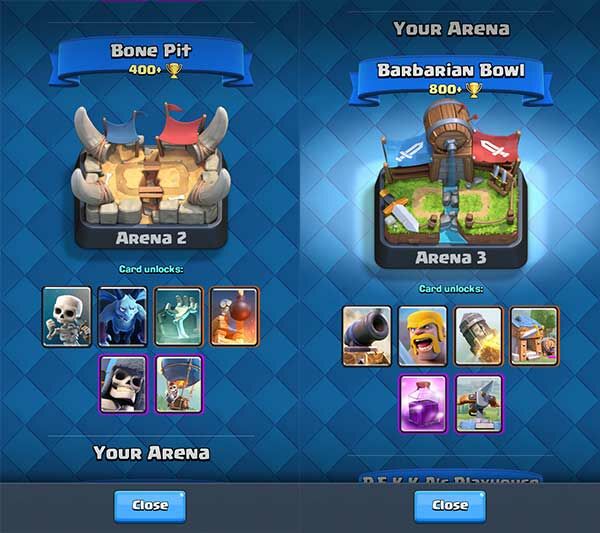
Arena adalah salah satu tempat pertarungan di Clash Royale. Semakin tinggi Arena maka kartu yang terkumpul akan semakin bagus. Salah satu hal yang dilakukan untuk pemula adalah jangan terburu-buru naik Arena. Pasalnya semakin tinggi Arena lawan pun akan semakin sulit. Jika lawan sulit, kita akan terus kalah dan tidak mendapatkan chest baru.

3. Upgrade Kartu - Cara Bermain Game Clash Royale

Upgrade kartu adalah yang penting dilakukan dalam game Clash Royale. Dengan melakukan upgrade kartu, tentu kartu sahabat akan menjadi kuat dari sebelumnya. Ada beberapa hal yang perlu diperhatikan sebelum melakukan upgrade kartu.

Cara Bermain Game Clash Royale
Upgrade sebuah kartu membutuhkan Gold, semakin besar levelnya maka akan semakin mahal biaya upgrade-nya. Untuk sahabat yang baru main Clash Royale, sebaiknya lakukan upgrade kartu untuk kartu-kartu yang sering digunakan saja. Sahabat boleh upgrade kartu lain jika memiliki Gold lebih.


Perlu sahabat ketahui, dalam game Clash Royale ada 3 jenis kartu yang bisa sahabat gunakan untuk bermain. Kartu tersebut adalah Kartu Bangunan, Kartu Pasukan, dan Kartu Spell

4. Selesaikan Achievements

Cara Bermain Game Clash Royale

Achievement pada game Clash Royale mungkin belum banyak seperti di Clash of Clans. Meski begitu, sahabat bisa menyelesaikan Achievements yang ada di Clash Royale untuk mendapatkan tambahan Gems gratis.

5. Bergabung dengan Clan Lain

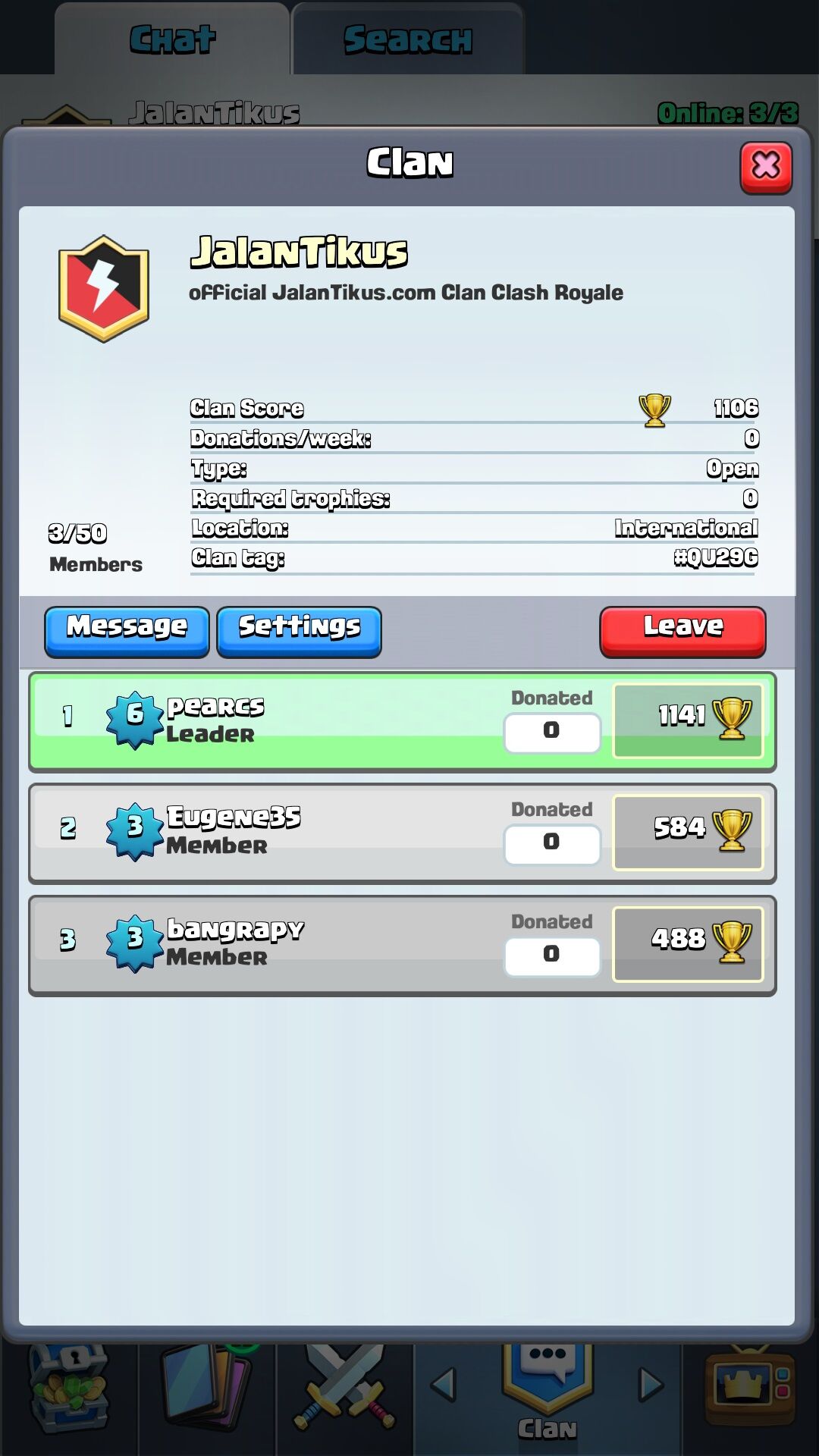
Clan Jalan Tikus

Sama seperti game strategi lainnya, pada game Clash Royale ini sahabat juga bisa bergabung dengan clan lain atau membuat clan sendiri. Manfaat yang bisa didapatkan dengan bergabung ke dalam clan adalah sahabat bisa meminta kartu tambahan, 10 kartu Common dan 1 kartu Rare.


Need Help Comment Here ^_^